Every agent in one window
Claude Code, Codex, OpenCode, Devin and Antigravity each get a tab, listed under their project with live status.
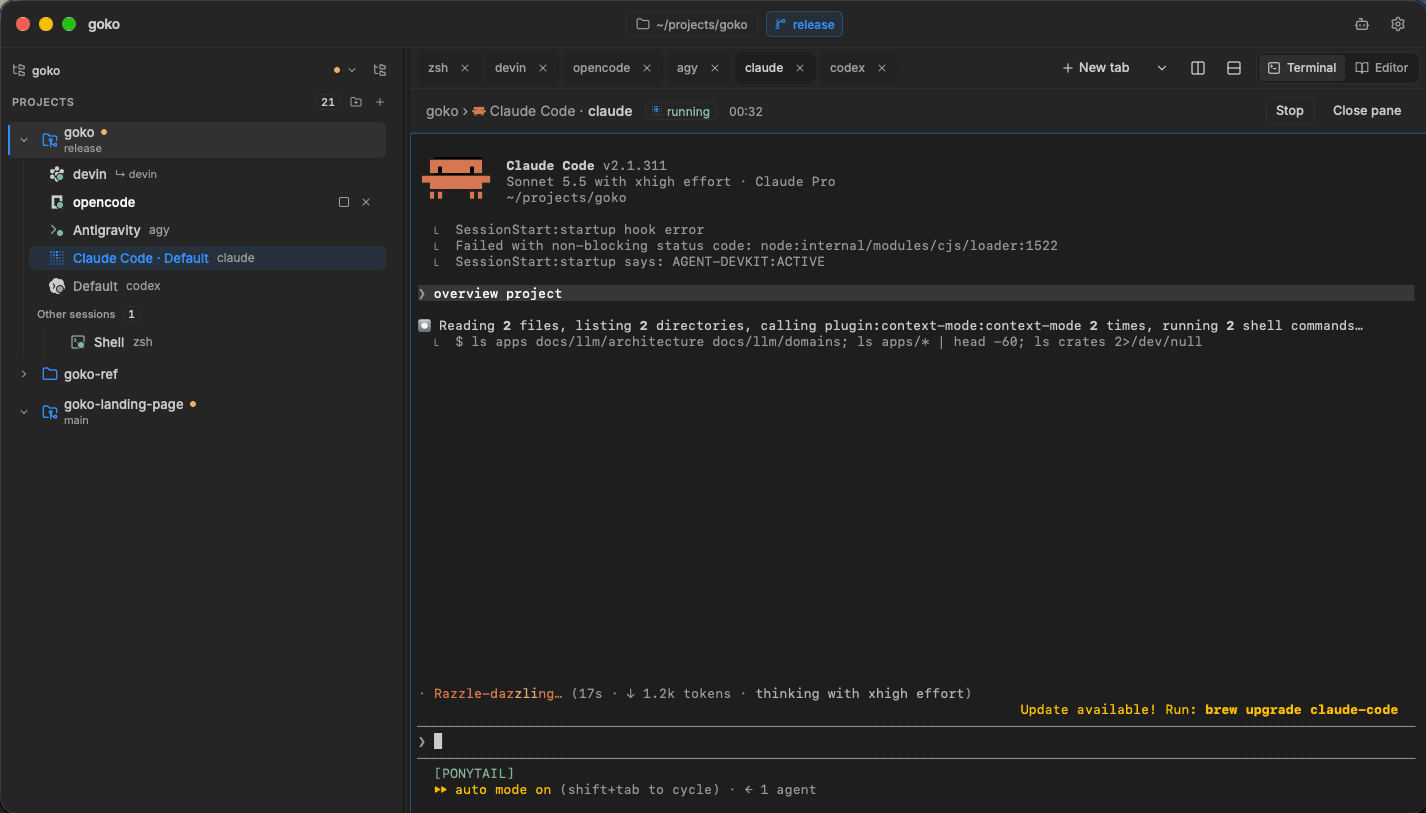
A native desktop app that runs Claude Code, Codex and other CLI agents side by side, grouped by project.
 Claude Codeclaude
 Codexcodex
 OpenCodeopencode
 Devindevin
 Antigravityagy
Start an agent, watch it work, read the diff and commit. Goko keeps every step for every project in one place.
Claude Code, Codex, OpenCode, Devin and Antigravity each get a tab, listed under their project with live status.
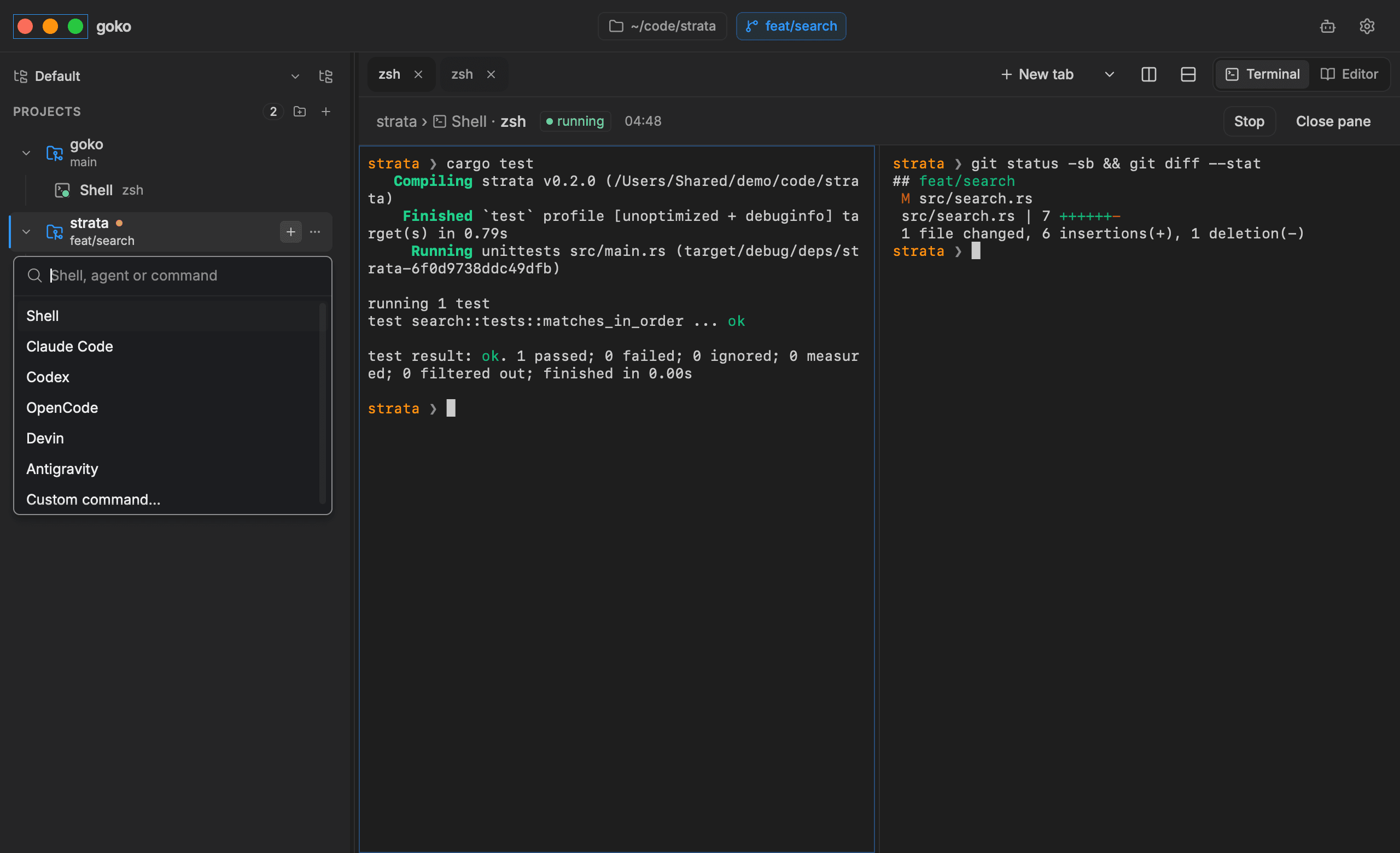
Pick an agent, a shell or any custom command for the project you are in. Split the tab to run two side by side.
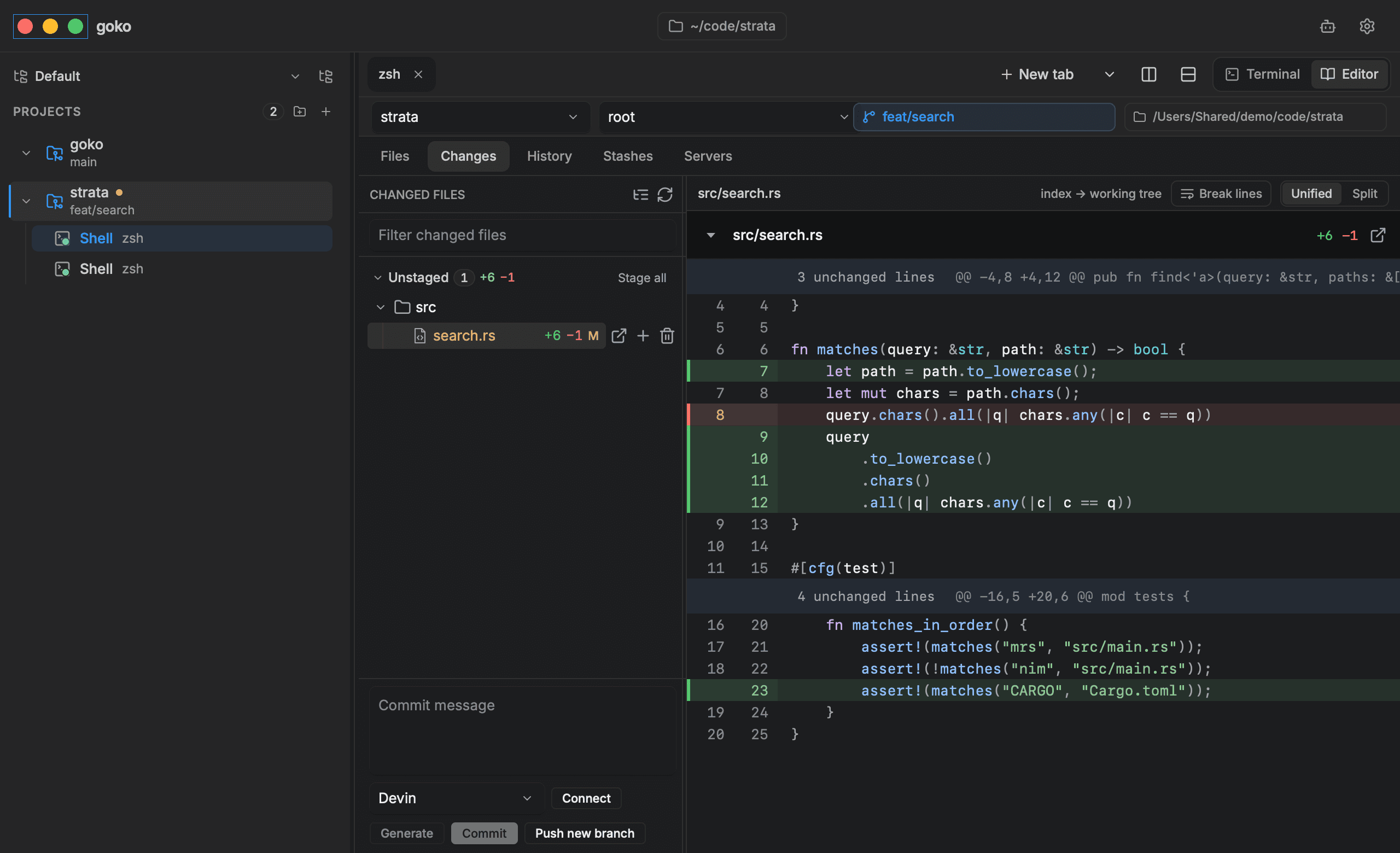
Unified or split diffs with staging per file. Write the commit message yourself or let an agent draft it.
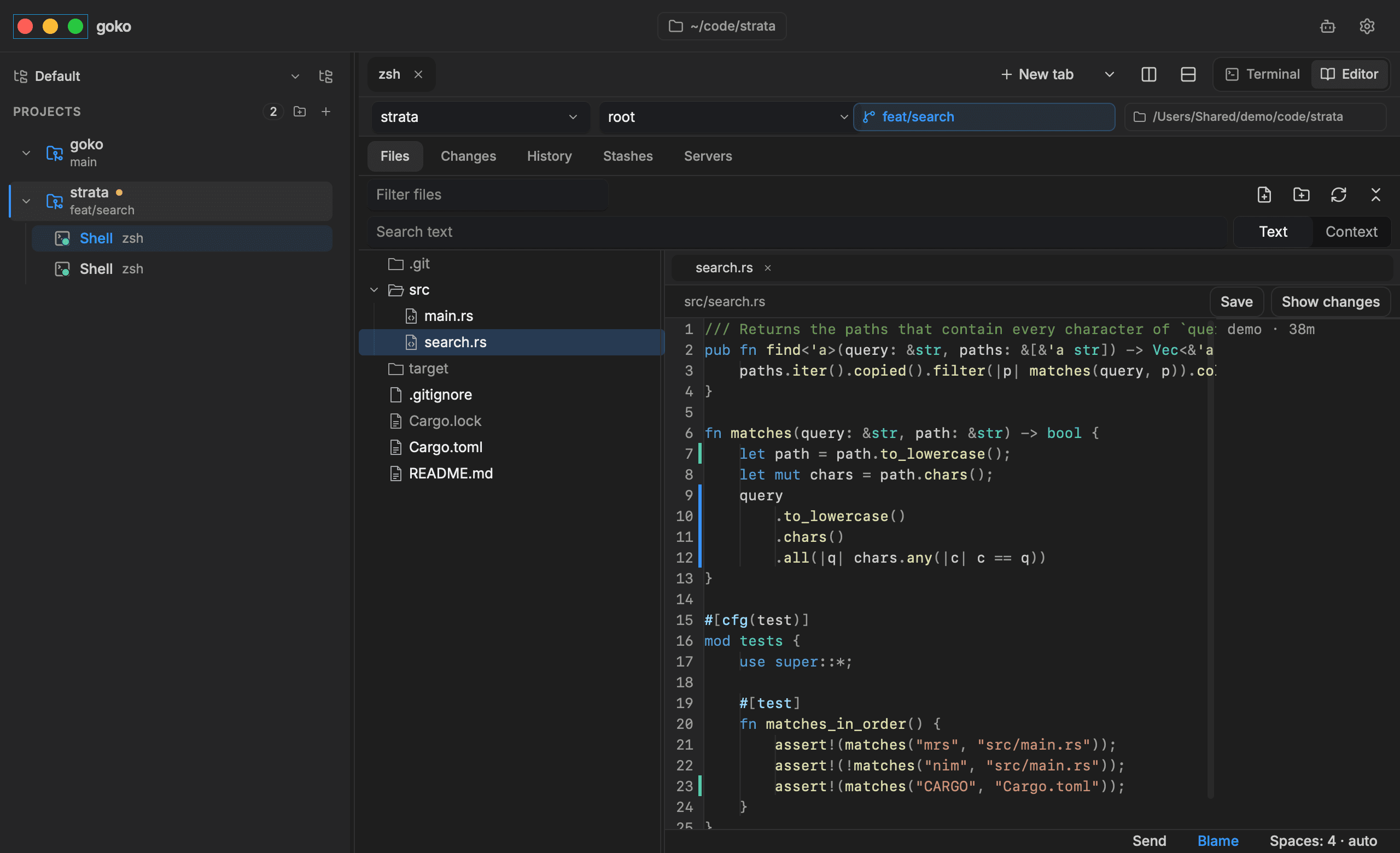
Browse files, search text and make a quick fix without leaving the window.
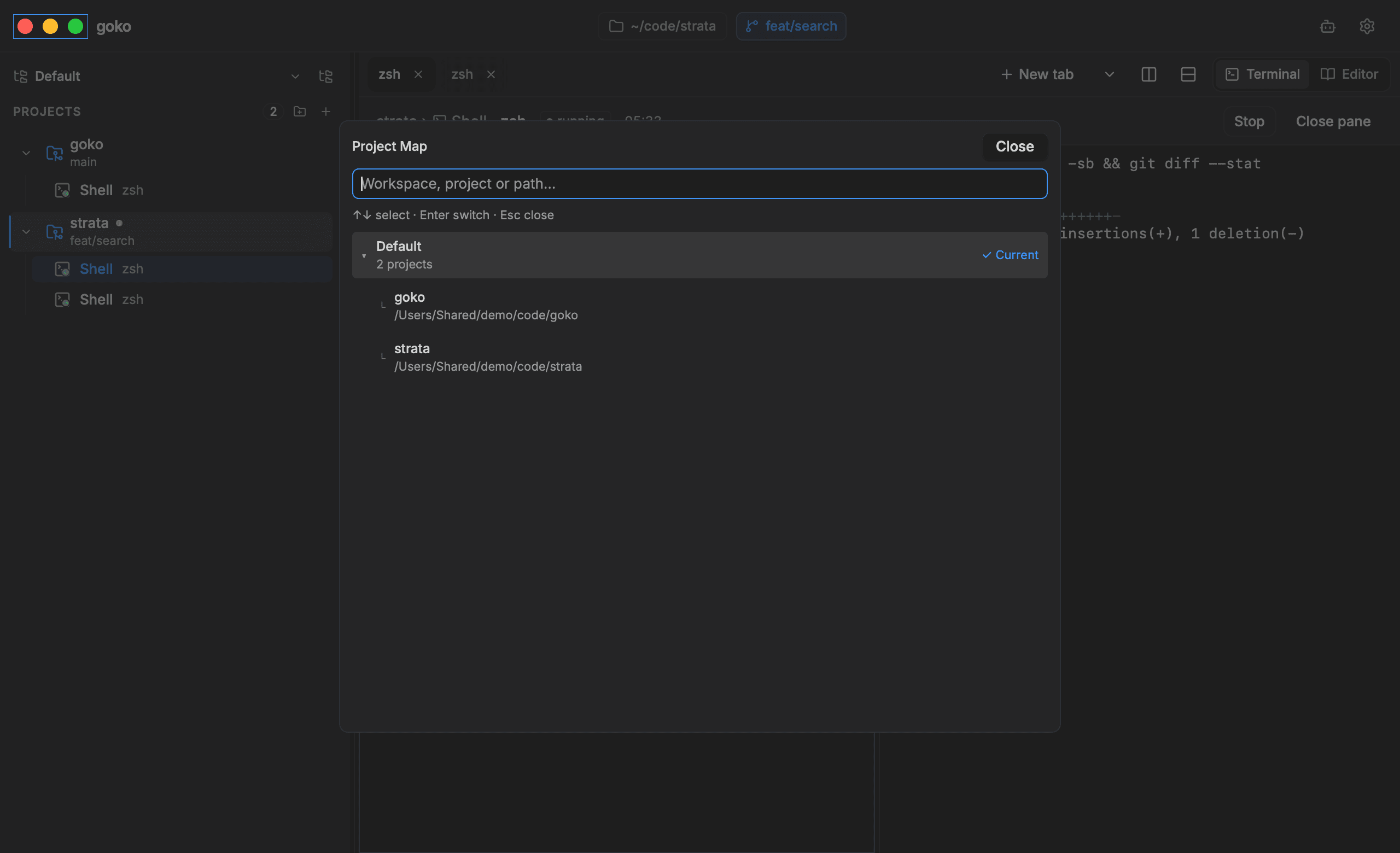
Project Map finds any workspace, project or path from the keyboard.
A separate daemon, gokod, owns every terminal and every agent process. The app connects to it over a local socket.
Closing the window or quitting Goko ends only the connection. Your agents keep working in the background.
The next launch attaches to the same sessions, with their output waiting for you.
window closed
PROJECTS
strata
feat/search
Claude CodeCodexOpenCodeDevinAntigravitygoko
main
Claude CodeCodexOpenCodeDevinAntigravitystrata / Claude Coderunning
> make file search case-insensitive
● Read src/search.rs
● Edit src/search.rs +6 -1
● Run cargo test
● test search::tests::matches_in_order ... ok
● All tests pass. Ready for you to review.
>
gokodowns every terminal and agent process
Claude Code
12:34
Codex
05:12
OpenCode
01:35
Devin
23:23
Antigravity
00:41
We measure memory, CPU wake-ups and load times before and after a change, then publish both numbers in the changelog.
Memorysince 0.4.0
5.4MB
Memorysince 0.4.0
149MB
CPUsince 0.2.0
11/s
Memorysince 0.2.0
34MB
Speedsince 0.2.0
10s
Speedsince 0.2.0
0.11s
Each pair compares one Goko release with the one before it. Terminal memory was measured on a log-like stream at 120 columns. The search index and History numbers use git’s own repository. Full notes are in the changelog.
Free and open source under Apache 2.0. The installer checks the download before it installs.
$ curl -fsSL https://github.com/asta-nguyen/goko/releases/latest/download/install.sh | shApple Silicon, Linux x86_64 and aarch64. Run it again to update. Intel Macs can build from source.
Goko is a native desktop app for running command-line coding agents such as Claude Code and Codex. It groups their terminal sessions by project and adds an editor, diffs and Git history in the same window.
Goko has one-click launchers for Claude Code, Codex, OpenCode, Devin and Antigravity, plus a plain shell. Each agent runs as its own CLI in a real terminal, so you keep the tools and accounts you already use.
Yes. Goko is free to use and its source code is on GitHub under the Apache 2.0 license.
Goko runs on macOS (Apple Silicon), Linux (x86_64 and aarch64) and Windows 10 1809 or later (x86_64). Intel Macs can build it from source.
They keep running. A separate daemon called gokod owns every terminal and agent process, so closing the window or quitting the app leaves sessions alive, and the next launch attaches to them again.
Run the one-line install command for your platform. Running it again updates Goko, and Settings, Updates shows when a newer release is available and what changed.